MicroFabSolutions

Microfabrication · Thin films · Process software

Your partner for micro-devices and thin-film technologies

Expert microfabrication services and consultancy for research laboratories and companies, with direct access to ISO-certified semiconductor cleanrooms at the FBK MicroNano Facility in Trento, Italy.

Ø 150 mm · 10 × 10 mm die · 137 sites · 3 mm edge exclusion

About

Cleanroom capability without building a cleanroom

Our mission is to give researchers and companies an easy way into professional semiconductor processing. We run your process, develop customised solutions in micro-technologies, and advise on the route from design to finished device.

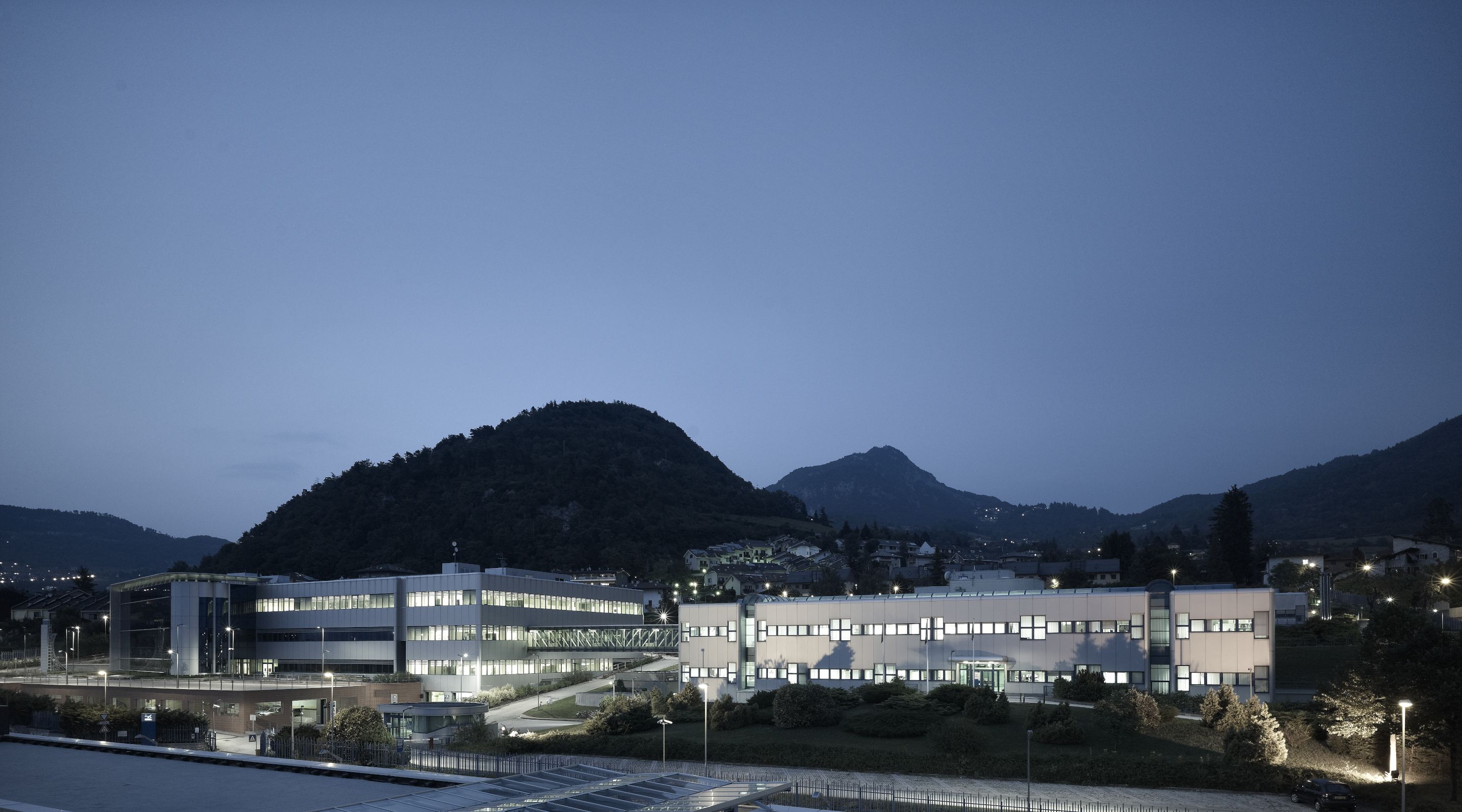
The MicroNano Facility at Fondazione Bruno Kessler is our main operational base. About the FBK cleanrooms

  • BaseFBK MicroNano Facility, Povo (Trento)
  • FacilityTwo ISO-certified cleanrooms, integration and test laboratories
  • ClientsResearch laboratories and industry
  • CompanyItalian innovative company, registered in Trento
FBK research centre in Povo, Trento CF034820-1_Povo1.jpg
FBK, Povo (Trento). Photo C. Baroni, FBK archive

Services

Process, metrology and integration in one facility

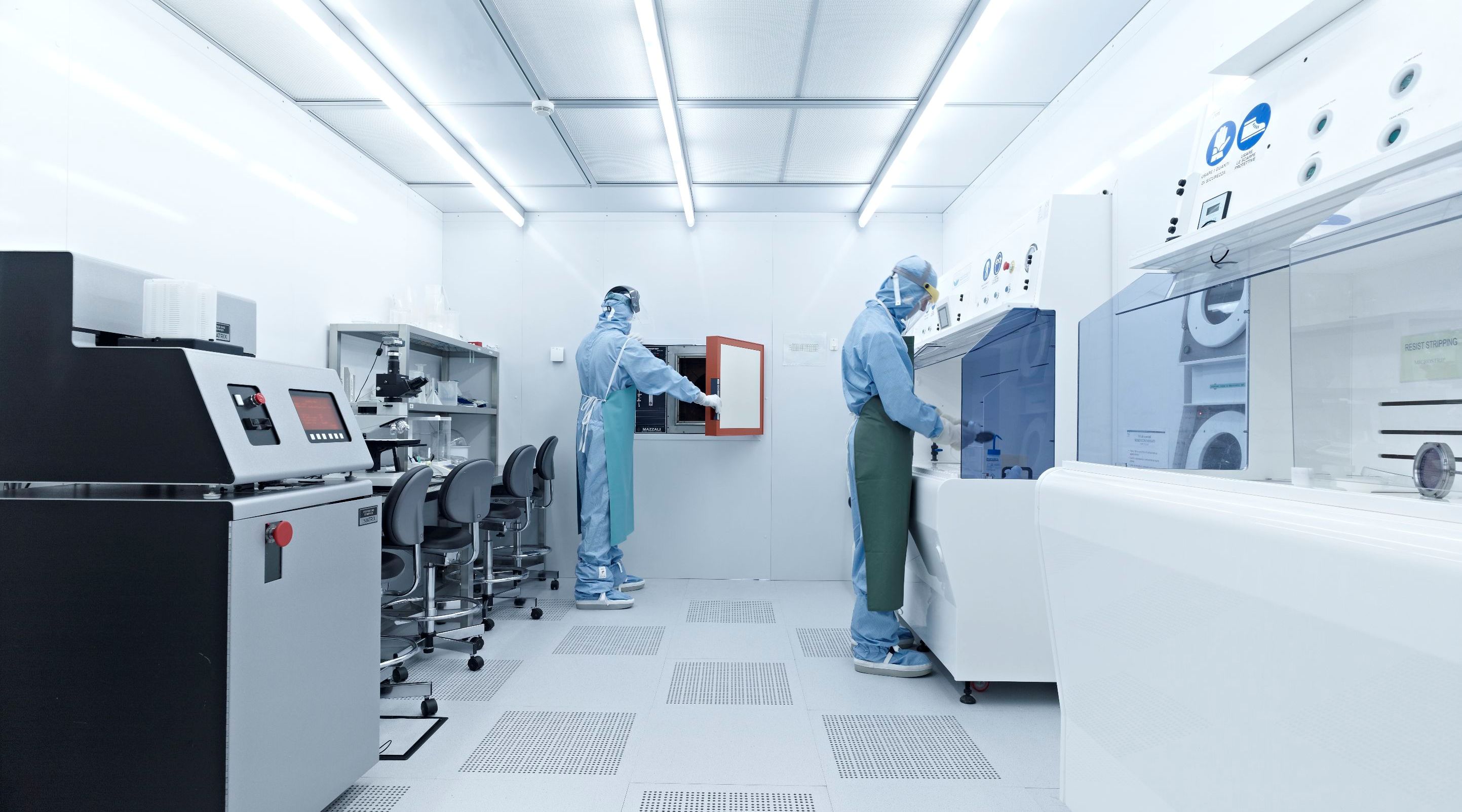
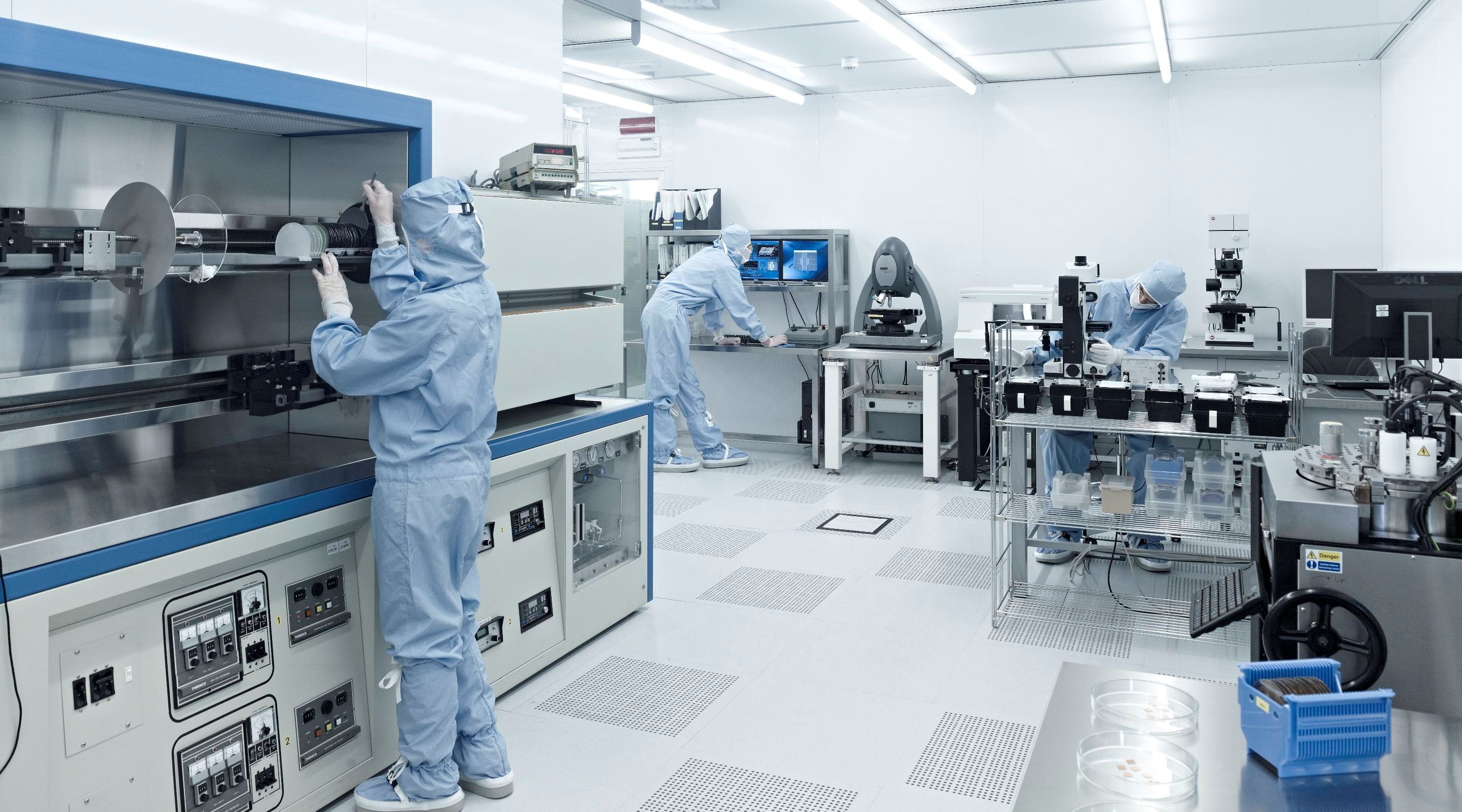
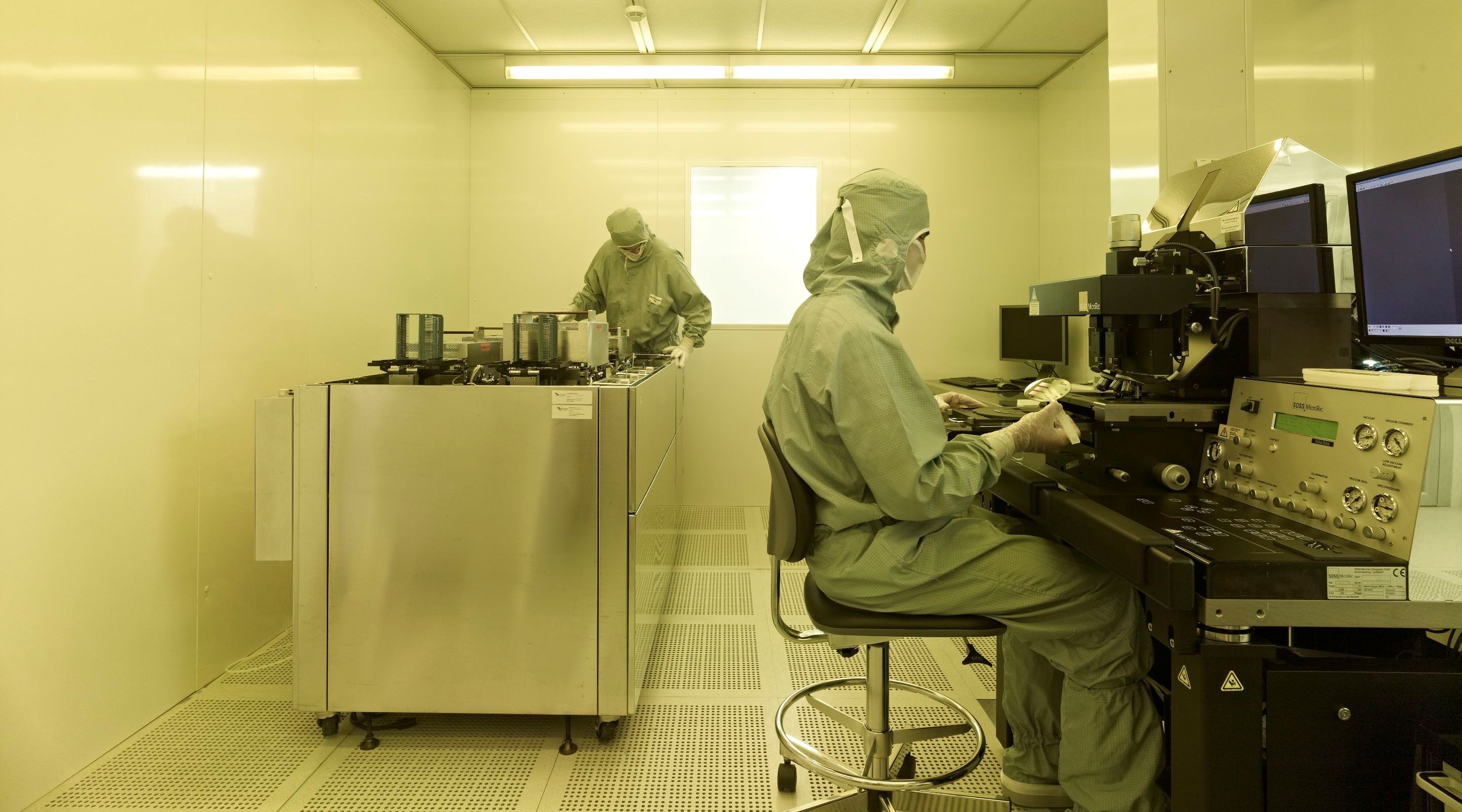
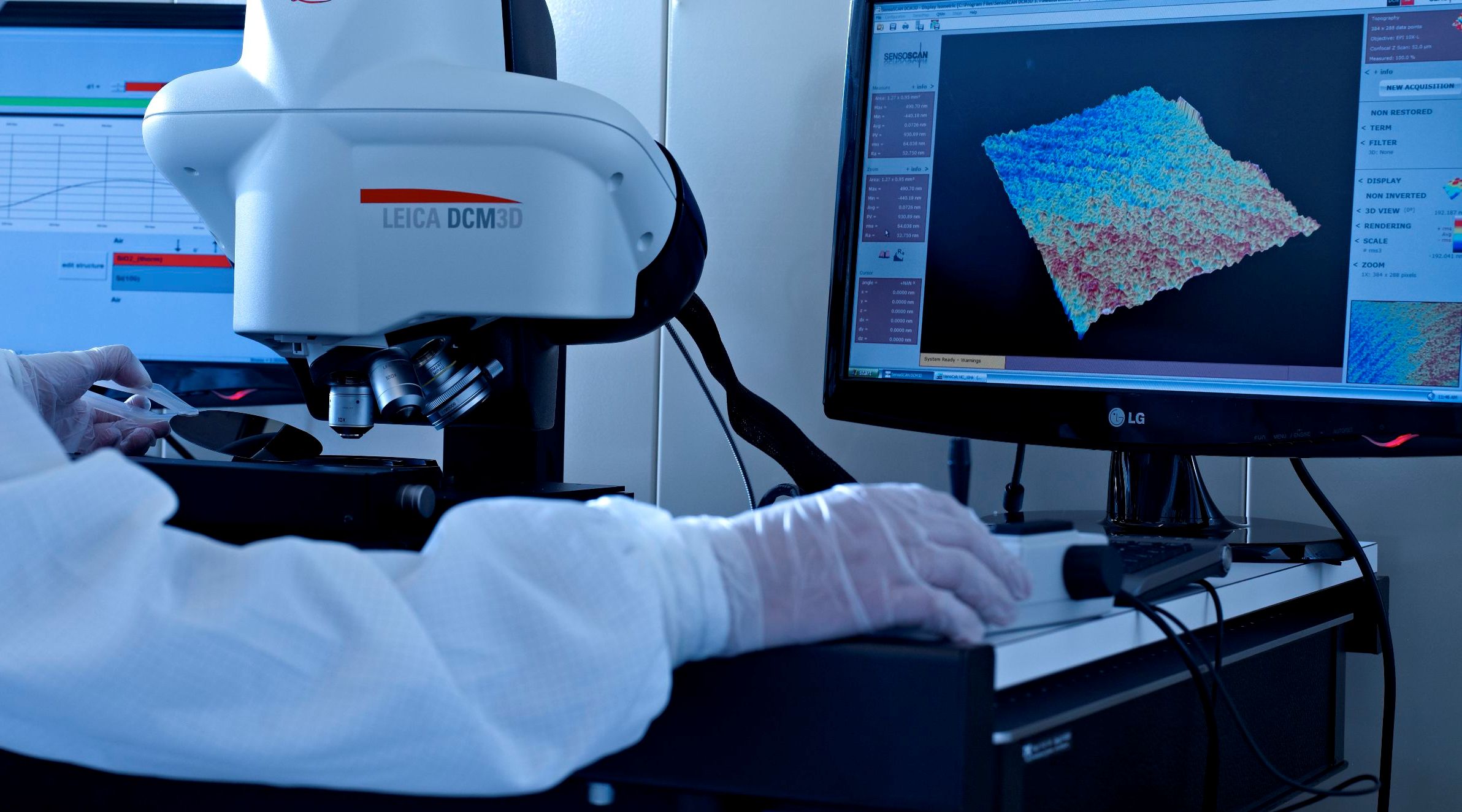
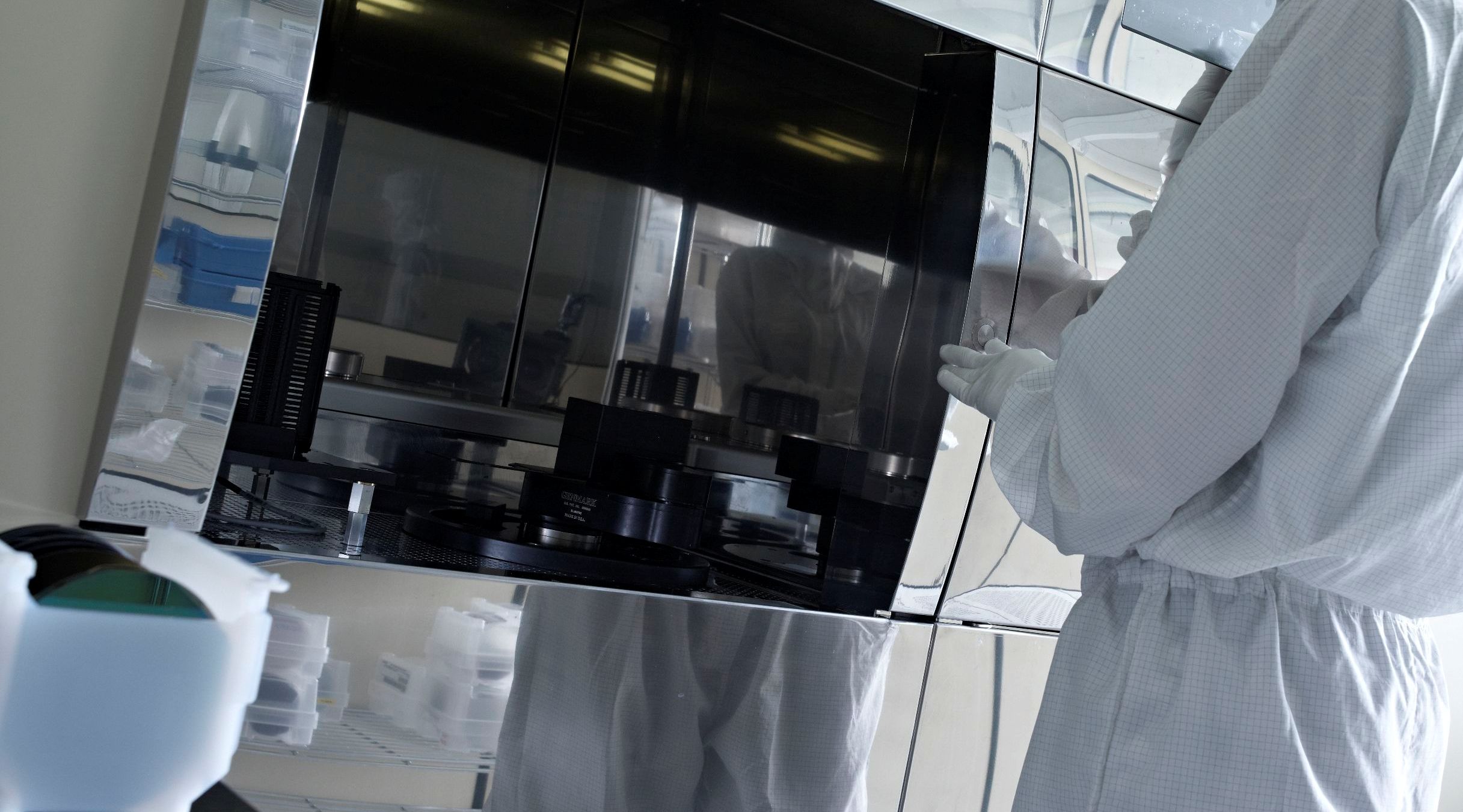
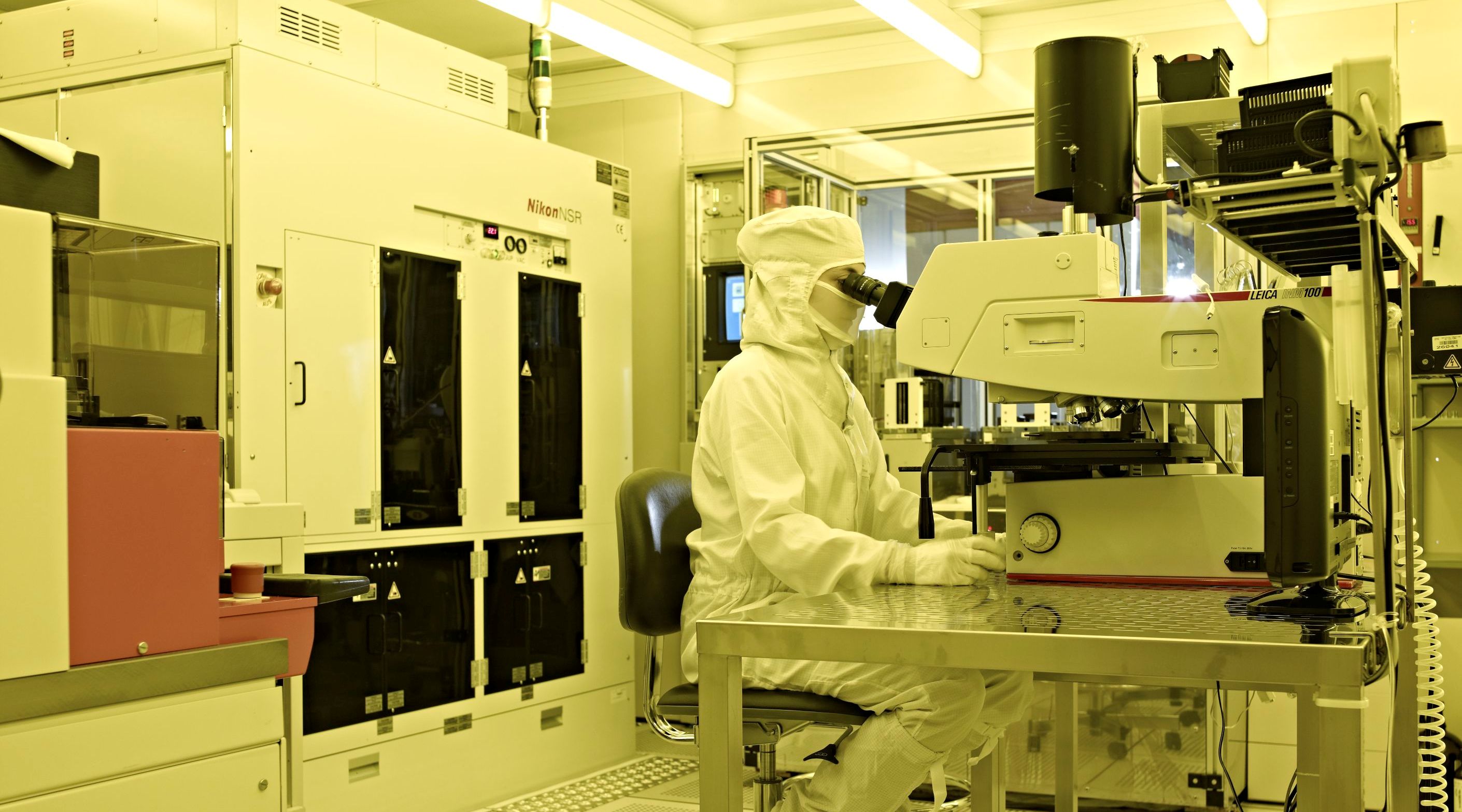
Two cleanrooms plus microsystem integration and testing laboratories. We combine these tools into the process flow your device needs.

Fabrication 11 processes

  • Stepper lithographyCD 350 nm · accuracy 75 nm
  • Projection lithographyCD 2 µm · accuracy 1 µm
  • Magnetron sputteringAl · Al1%Si · Ti · TiN
  • PVD metallisationAu · Cr · Ag · Ti · Pt · Al · Pd
  • ElectroplatingAu · Cu
  • LPCVDTEOS · poly-Si · Si₃N₄ · BPSG
  • PECVDSiO₂ · Si₃N₄ · a-Si
  • Diffusion furnacesdry/wet oxidation · B and P diffusion · N₂ anneal
  • Ion implantationB⁺ · BF₂⁺ · P⁺ · As⁺ · Ar⁺ · B⁺⁺ · P⁺⁺
  • Dry etching
  • Wet etching

Metrology 7 methods

  • Field-emission SEM
  • Ellipsometry
  • Optical inspection microscopes
  • Non-contact profilometry
  • Contact profilometry
  • Four-point probesheet resistance
  • Refractive index measurement

Integration 4 tools

  • Wafer bondinganodic · Au–Si eutectic · adhesive
  • Screen printing
  • Wafer dicing
  • Assembly station

Photos C. Baroni, FBK archive

Coated substrates

Metal-coated wafers, chips and slides

Thin films deposited by sputtering or e-beam evaporation on silicon, glass or quartz, in three standard formats.

Coatings available

Metal layerAdhesion layerTechnique
GoldAuTi or CrE-beam evaporation
SilverAgTiE-beam evaporation
PlatinumPtTiE-beam evaporation
AluminiumAl, Al1%SiNoneSputtering
TitaniumTiNoneSputtering
Titanium nitrideTiNNoneReactive sputtering

Substrate formats

FormatSizeThickness
WaferØ 150 mm500–650 µm
Chip10 × 10 mm500–650 µm
Slide1″ × 3″500–650 µm

All formats in silicon, glass or quartz.

Silicon wafer, prime grade

Diameter
150 mm
Type / dopant
P / boron
Orientation
<100>
Resistivity
1–50 Ω·cm
Front
polished
Back
etched

Glass wafer

Diameter
150 mm
Glass
Borofloat

Quartz wafer

Diameter
150 mm

Need a custom substrate or coating? Ask for a quote

Software

Tools we built for our own fab work

Process emulation, layout viewing and laboratory management, written by people who run the tools every day. Web applications are available as a managed service on Aruba Cloud or installed on your own servers.

Desktop · Windows 64-bit

AppProcessComposer

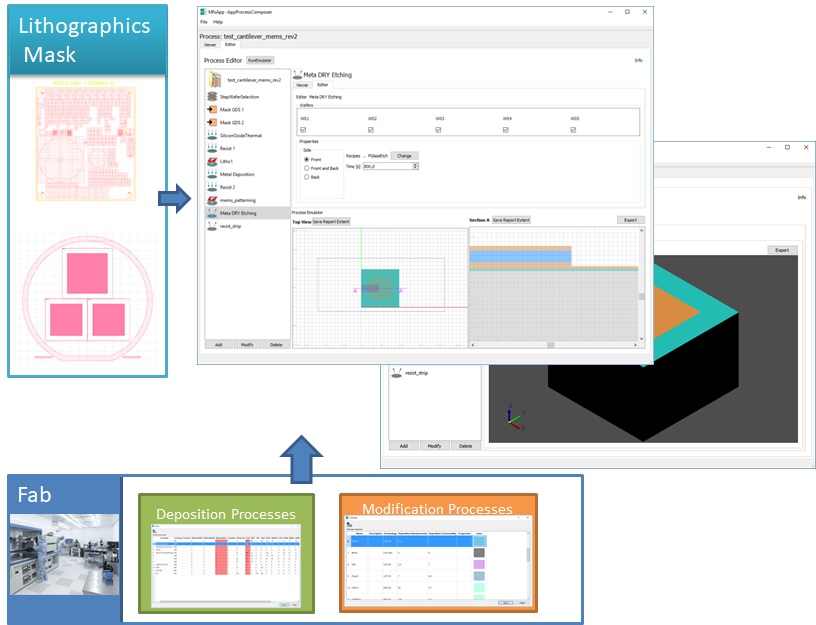
Design and emulate a complete microfabrication process: from the GDSII layout to the reticle, the stepper program and a 3D model of the processed wafer.

  • GDSII import
  • Reticle design
  • Nikon stepper programs
  • 3D emulation
  • STEP export

Request a free trial

AppProcessComposer main window appprocesscomposer4_overview.jpg
Load GDS2 mask 4 screens

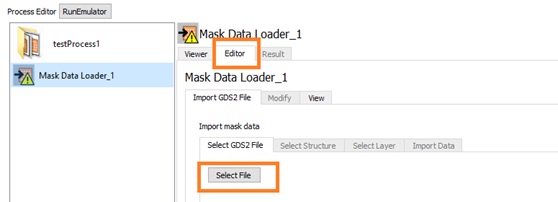
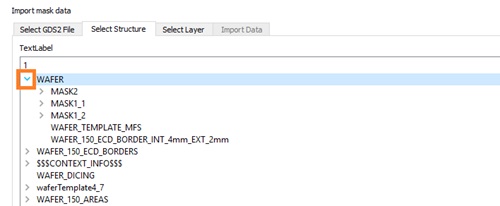
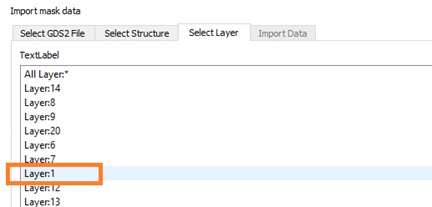
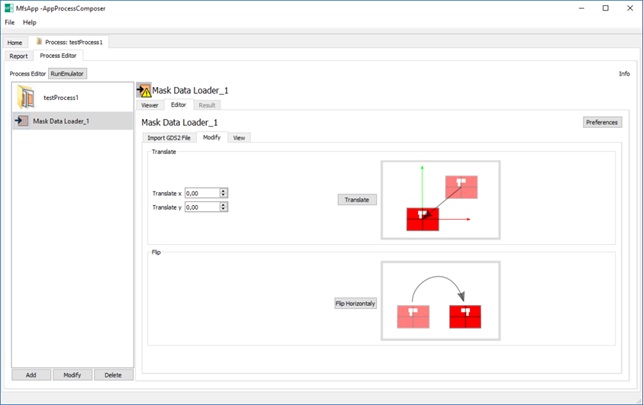
Load GDSII files of any size. The layout is stored in a database, so the viewer keeps in memory only the data for the selected area. Select the file, the structure and the layer to import. Once loaded, the mask can be translated in x and y when it is off-centre, or mirrored horizontally when the mask shop has delivered a chrome-side-up layout.

Selecting a GDSII fileloadmask_importselectgds2file.jpg
Selecting the structure to importloadmask_import_selectstructure.jpg
Selecting the layer to importloadmask_import_selectlayer.jpg
Editing the loaded maskloadmask_modify.jpg
Create reticle mask 3 screens

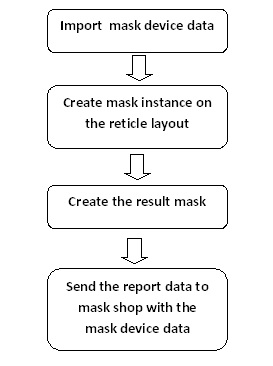
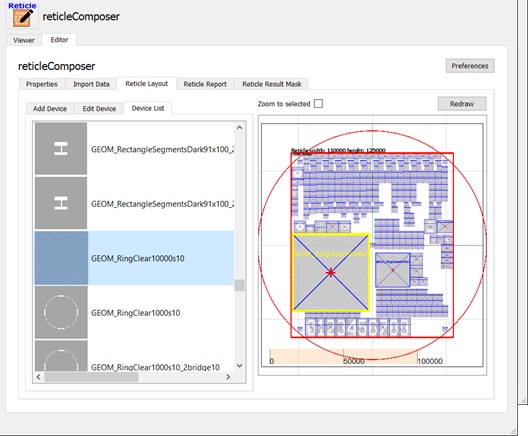
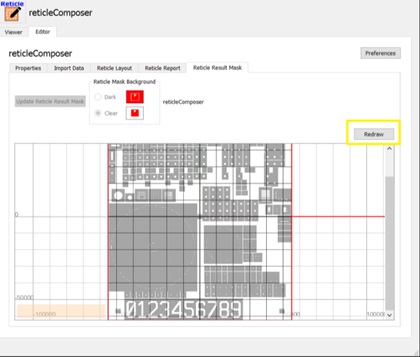
Design the stepper reticle for the mask shop starting from the device layout. Place device instances until the reticle is filled, optimise the available space, avoid placement errors and keep every coordinate under control. The software then produces the emulated reticle mask.

Reticle composer workflowreticlecomposer_workflow.jpg
Filled reticle layoutreticlecomposer_layoutfilled.jpg
Emulated reticle maskreticlecomposer_layoutmaskemulation.jpg
Create stepper program 5 screens

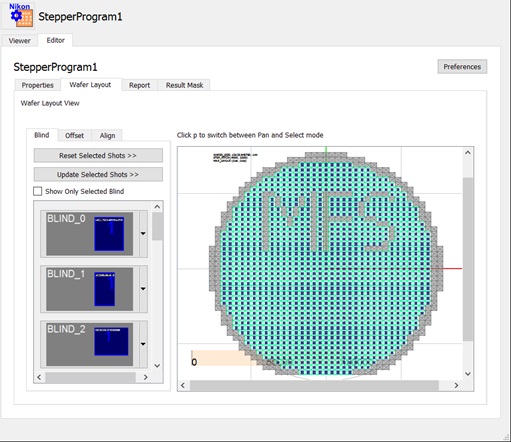
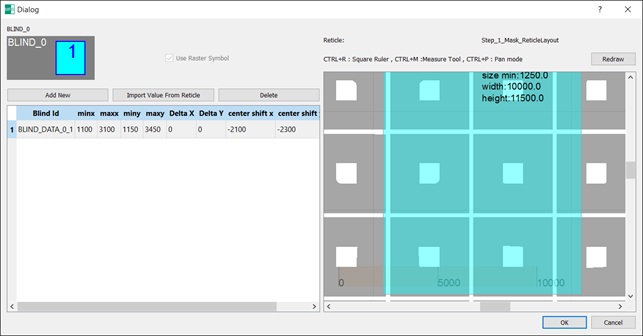
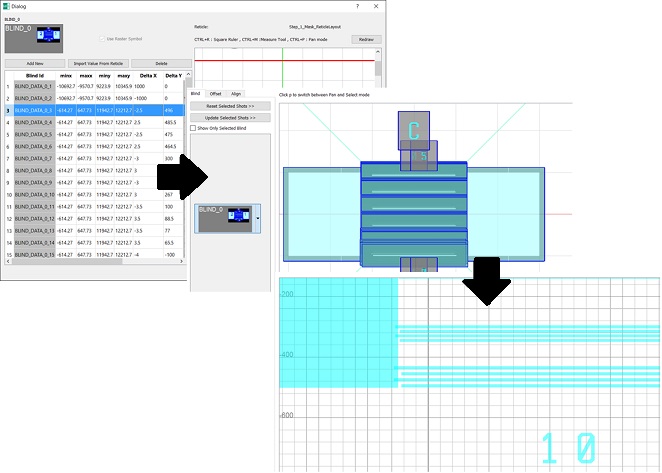
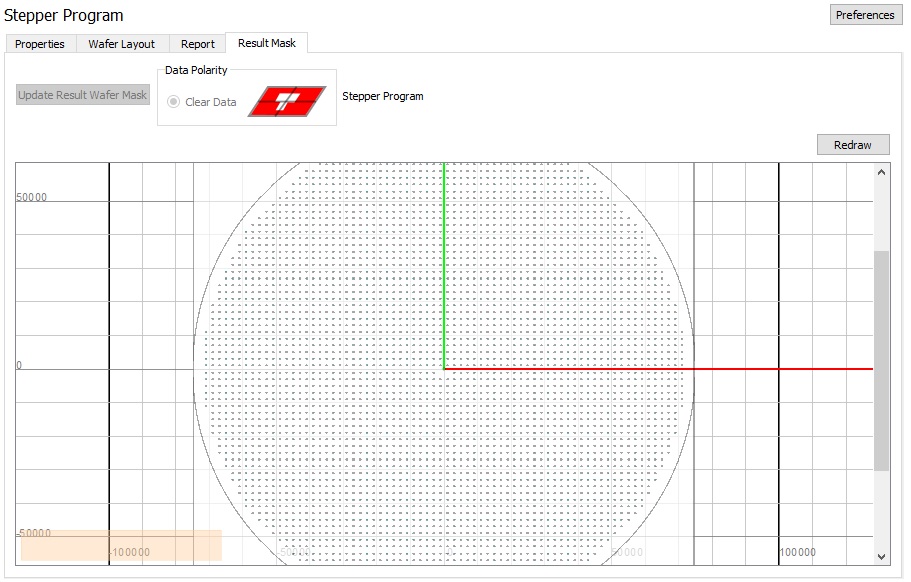
Write the process program for the Nikon step-and-repeat system. Define the grid on the wafer and assign to each cell a reticle pattern imported from GDSII. Compose multiple blinds per program; the Nikon i12 accepts up to 32. When the program is complete, the software simulates the exposed area across the whole wafer.

Stepper composer overviewsteppercomposer_overview.jpg
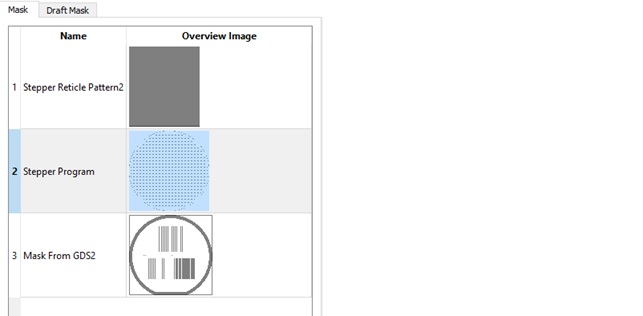
Blind editorsteppercomposer_blindeditor.jpg
Editing multiple blindssteppercomposer_blindeditor_multi.jpg
Simulated wafer exposure, exposed area in bluesteppercomposer_resultmask.jpg
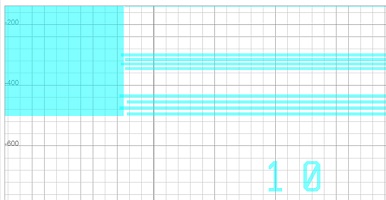
Detail of the simulated exposuresteppercomposer_resultmask_detail.jpg
Wafer selection and emulation 6 screens

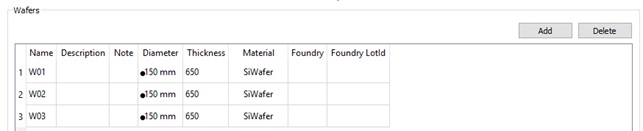
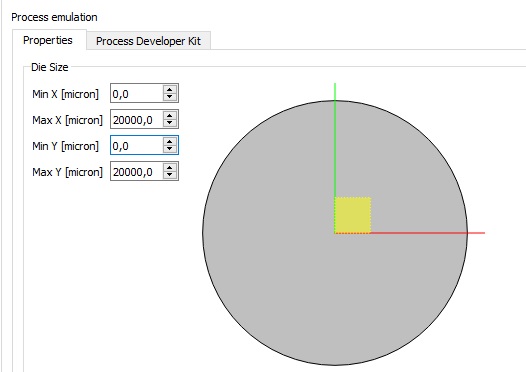
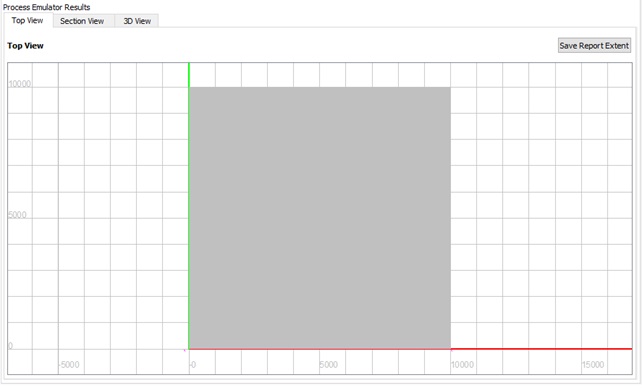
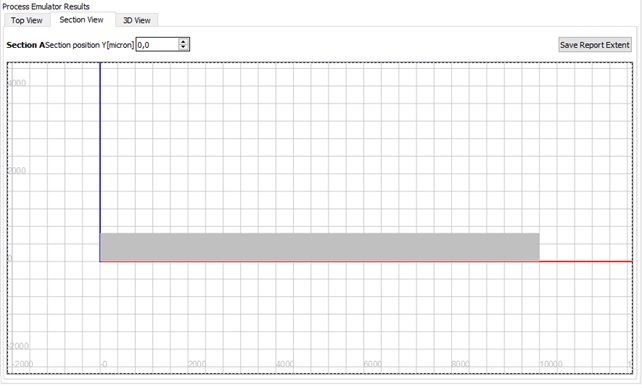
Define the wafer list and the current wafer for the process emulation. Run the emulation on a reduced area or on the full wafer and inspect the result in top, cross-section and 3D viewers. 3D data exports to STEP (ISO 10303-21) for exchange with CAD tools.

Wafer listwaferselection_waferlist.jpg
Selecting the current waferwaferselection_waferselect.jpg
Choosing the emulation areaappprocesscomposer4_emulation_diesize.jpg
Emulation result, top viewwaferselection_emulationresult_top.jpg
Emulation result, cross-sectionwaferselection_emulationresult_section.jpg
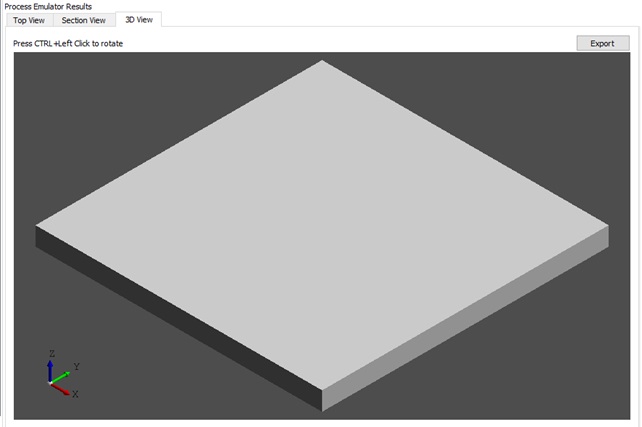
Emulation result, 3D viewwaferselection_emulationresult_3d.jpg
Deposition 3 screens

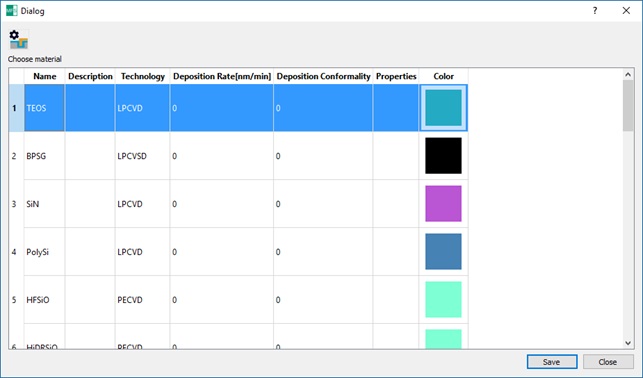
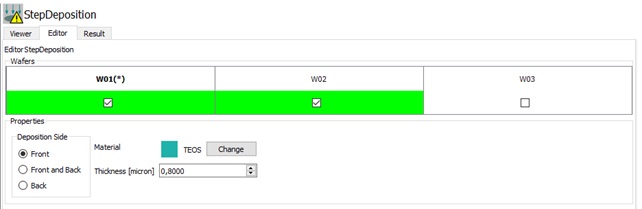
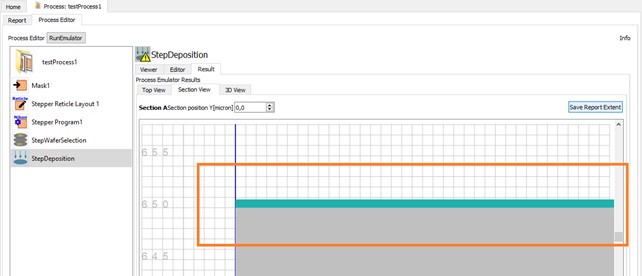
Emulates thin- and thick-film deposition. Choose the material and the thickness.

Choosing the deposited materialstepdeposition_choosematerial.jpg
Setting the film thicknessstepdeposition_choosethickness.jpg
Deposition step resultstepdeposition_overview.jpg
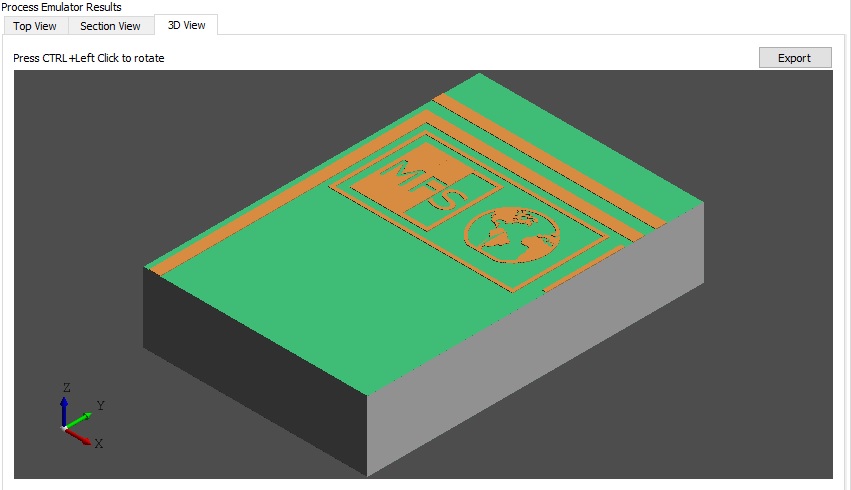
Etching 2 screens

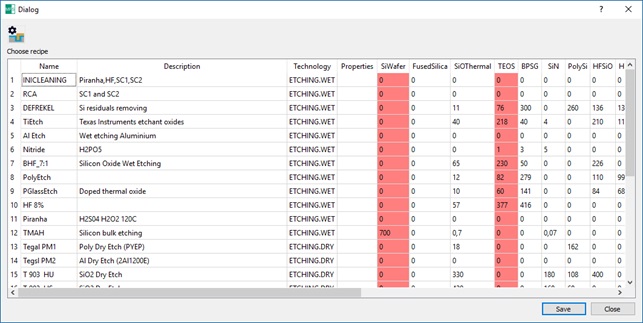
Removes material using an etch recipe. The recipe selector lists every recipe and highlights the column of the material deposited before; all material layers are shown, not only the exposed ones.

Etch recipe selectorstepetching_chooserecipe.jpg
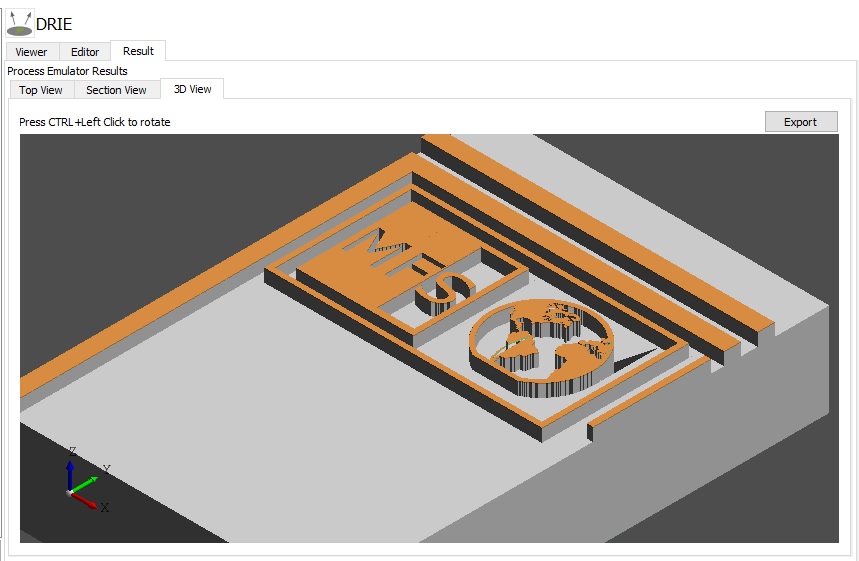
Etching result in 3Dstepetching_emulationresult_3d.jpg
Heating 2 screens

Anneals in inert atmosphere or grows a thermal oxide. For thermal oxidation, enter the target oxide thickness: the oxide consumes the silicon substrate, and its final thickness is 2.17 times the thickness of silicon consumed.

Heating recipesstepheating_recipes.jpg
Thermal oxidation cross-sectionstepheating_thermaloxidation_result_section.jpg
Lithography 3 screens

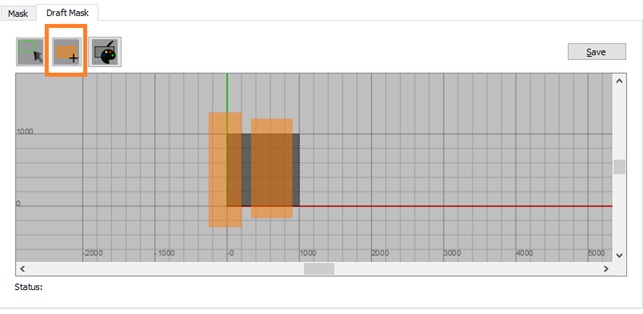
Combines exposure and development. Use draft masks drawn in the built-in editor, or masks imported or created in the application.

Draft mask editorsteplithography_maskdraft.jpg
Imported masksteplithography_maskimported.jpg
Lithography result in 3Dsteplithography_emulationresult_3d.jpg
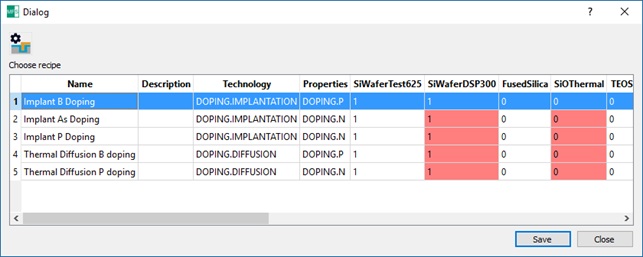
Doping 2 screens

Modifies the silicon by doping, with results shown in cross-section.

Doping recipesstepdoping_recipes.jpg
Doping result, cross-sectionstepdoping_emulation_result_section.jpg
Wafer inspection 2 screens

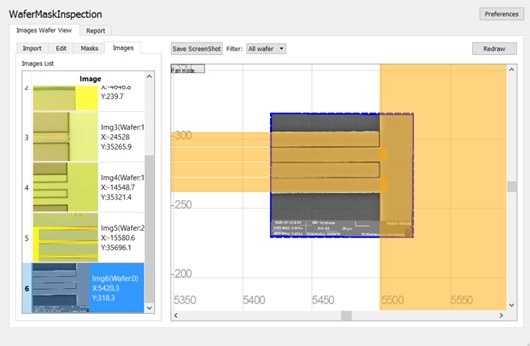
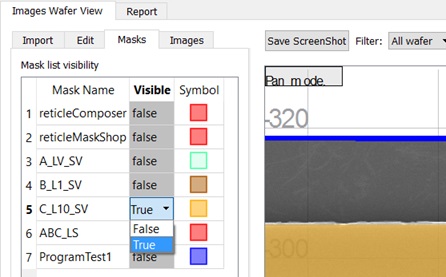
Check mask overlay against images captured during wafer inspection, with visibility control for each mask created or imported in the process.

Wafer inspection overviewwaferinspection_overview.jpg
Mask visibility listwaferinspection_masklist.jpg
Wafer measurement 1 screen

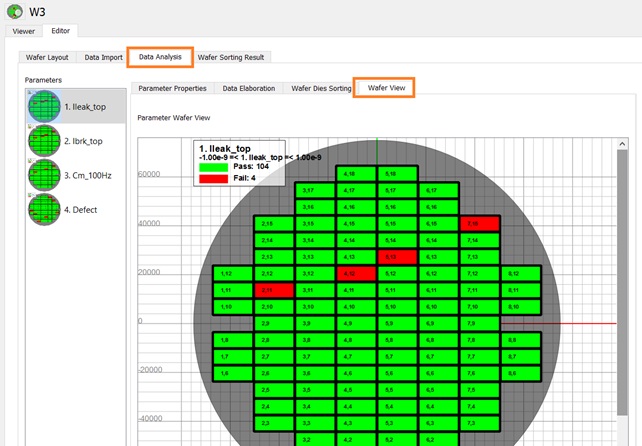
Analyse and map measurement parameters. Rebuild a wafer map from final-test data for spatial analysis; every parameter with Sorting Active enabled feeds the global sorting map.

Wafer measurement mapwafermeasurement_overview.jpg

System requirements: Windows 7, 8 or 10, 64-bit.

Web app · Aruba Cloud or on-premise

GDS2 Viewer

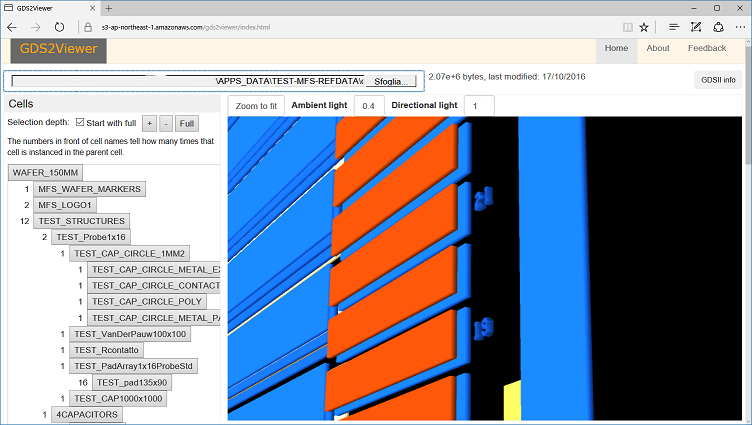
A 3D GDSII viewer that runs in the browser. Intuitive and quick to start. Files are processed entirely in your browser and never uploaded to a server, so your layouts stay private.

We host it for you on Aruba Cloud, or install it on your own server.

  • Runs in any WebGL browser
  • No upload
  • 3D layer view
GDS2 Viewer showing a layout in 3D gds2viewerOverview1a.png
Web platform · SaaS or on-premise

FABLIMS

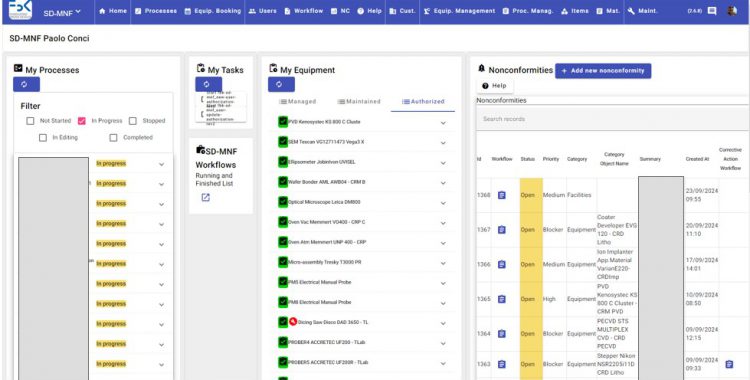
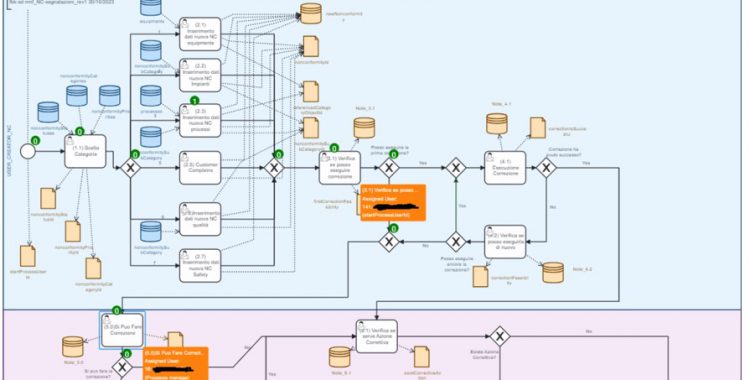
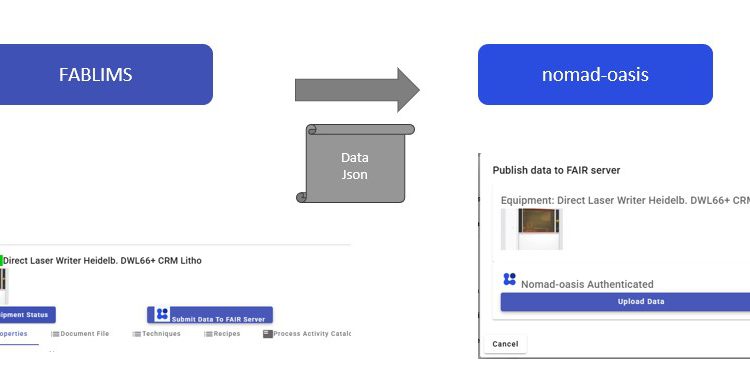
A laboratory information management system for micro- and nanofabrication labs. Equipment, processes and quality in one place, with export of FAIR data to NOMAD Oasis.

Two ways to run it. As a SaaS that we operate and maintain on Aruba Cloud, in ISO/IEC 27001-certified data centres in Italy, so your data stays in the EU under the GDPR. FABLIMS already runs this way in production for two clients. Or installed on-premise, on your own infrastructure.

  • Equipment
  • Processes
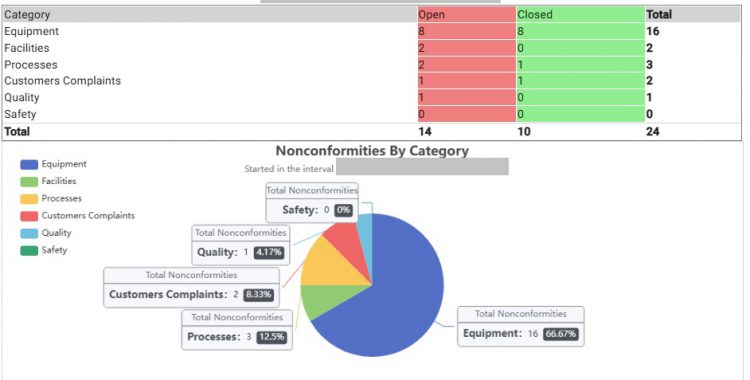
  • Nonconformities
  • FAIR data
  • Hosted in Italy
  • On-premise

Request a demo

FABLIMS home page fablims-homepage1-750x380.jpg
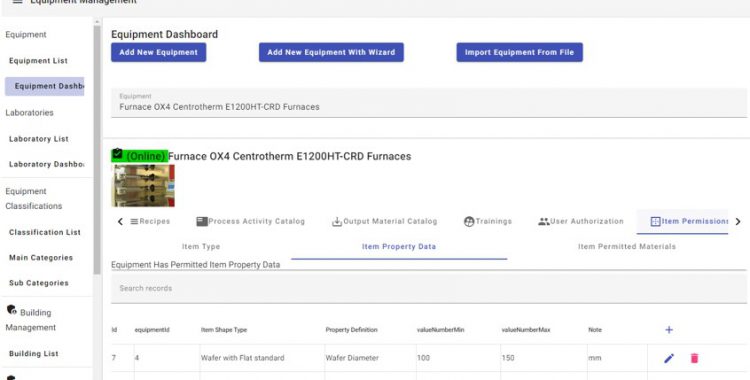
Equipment management

Equipment managementfablims-equipment-management1-750x380.jpg
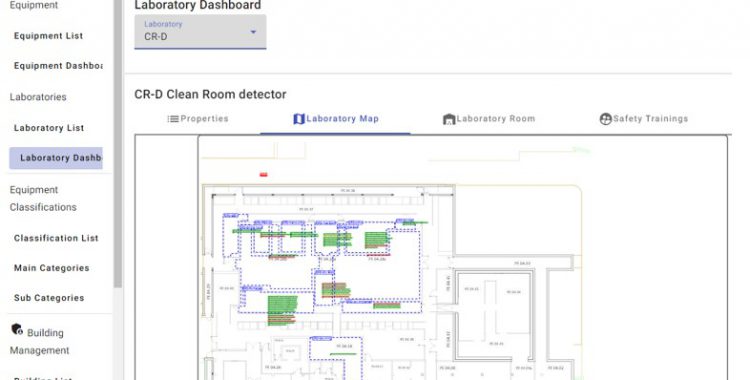
Equipment and laboratory managementfablims-equipment-laborarory-management1-750x380.jpg
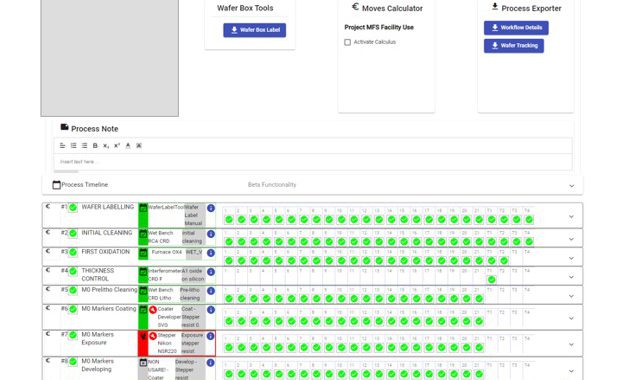
Process management

Process managementfablims-process-management1-639x380.jpg
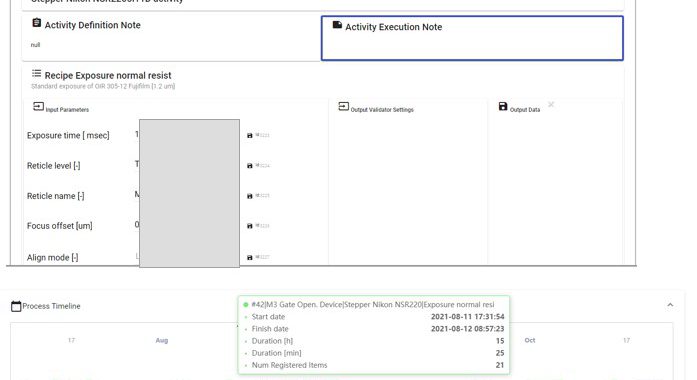
Process activity managementfablims-process-activity-management1-697x380.jpg

Quality and nonconformity management

Nonconformity managementfablims-quality-nonconformity-management1-750x380.jpg
Nonconformity reportfablims-quality-nonconformity-report1-750x380.jpg

FAIR data exporter for NOMAD Oasis

FAIR data exporterfablims-FAIRdata-exporter1-750x377.jpg

Team

Who you work with

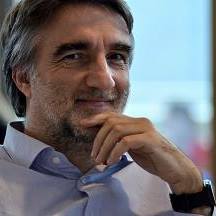
Paolo Conci 10540788_…_n.jpg

Paolo Conci

Materials engineer · Integration specialist

Contact

Tell us about your device

Send a short description of the structure, materials and quantities. We reply with a proposed process route and a quote.

Registered and operating office

Via Sommarive 18
38123 Povo, Trento, Italy

Cleanroom operations at the FBK MicroNano Facility, Fondazione Bruno Kessler.